

Reading time
5
min
What is DevOps?
In 2009, computer scientist Misko Hevery—part of Google’s developer team—was trying to help the company overcome the problems it faced, and created AngularJS. The first version of the framework was built on the Model-View-ViewModel (MVVM) pattern—using data binding to make app development and testing easier. In 2016, a second version was created and rewritten by the Google team. Angular 2 adopted TypeScript, enabling better-structured projects that are easier to maintain.
AngularJS was Google’s first initiative: a framework for building software that integrates different pieces of code, making it easier to understand applications through HTML and supporting single-page applications (SPAs)—apps that run on a single page.
It enables fast and simple processing and helps keep the team productive with a model that allows the “reuse” of components, with templates and infrastructure tools that automate tasks and make the project easier to build.
Even with Angular’s large library and the open-source community contribution model, there were recurring issues around updating to new versions. Because of that, versions 2, 4, 5, 6, and 7 received monthly updates, improving the whole framework with significant changes to its structure.
Over the years, changes became constant, and to keep up with the evolution of technology, Angular 2 emerged. Developers recognized the need to create a new framework, providing a new experience based on the JS version.
The updated version offers a range of features for interfaces designed to build web, desktop, and mobile applications. Improved by Google developers in 2016, different elements make Angular collaborative—for example, tools and patterns that make it easier to work with HTML, CSS, and JavaScript. Another important aspect is that Angular is an open-source platform, which encourages inspection and modification of the tool. As a result, it has a large contributing community and a rich ecosystem of types, guides, and references for those who want to go deeper.
Angular is used in complex systems and helps prevent errors, making maintenance easier and enabling fast, modular, and reliable development. It also provides an experience similar to a desktop application, since the framework is built with TypeScript, responsible for typing and other language features. This is reflected in Angular’s newer versions—2, 4, 5, 6, and 7—which were designed with great care for compatibility across different projects.
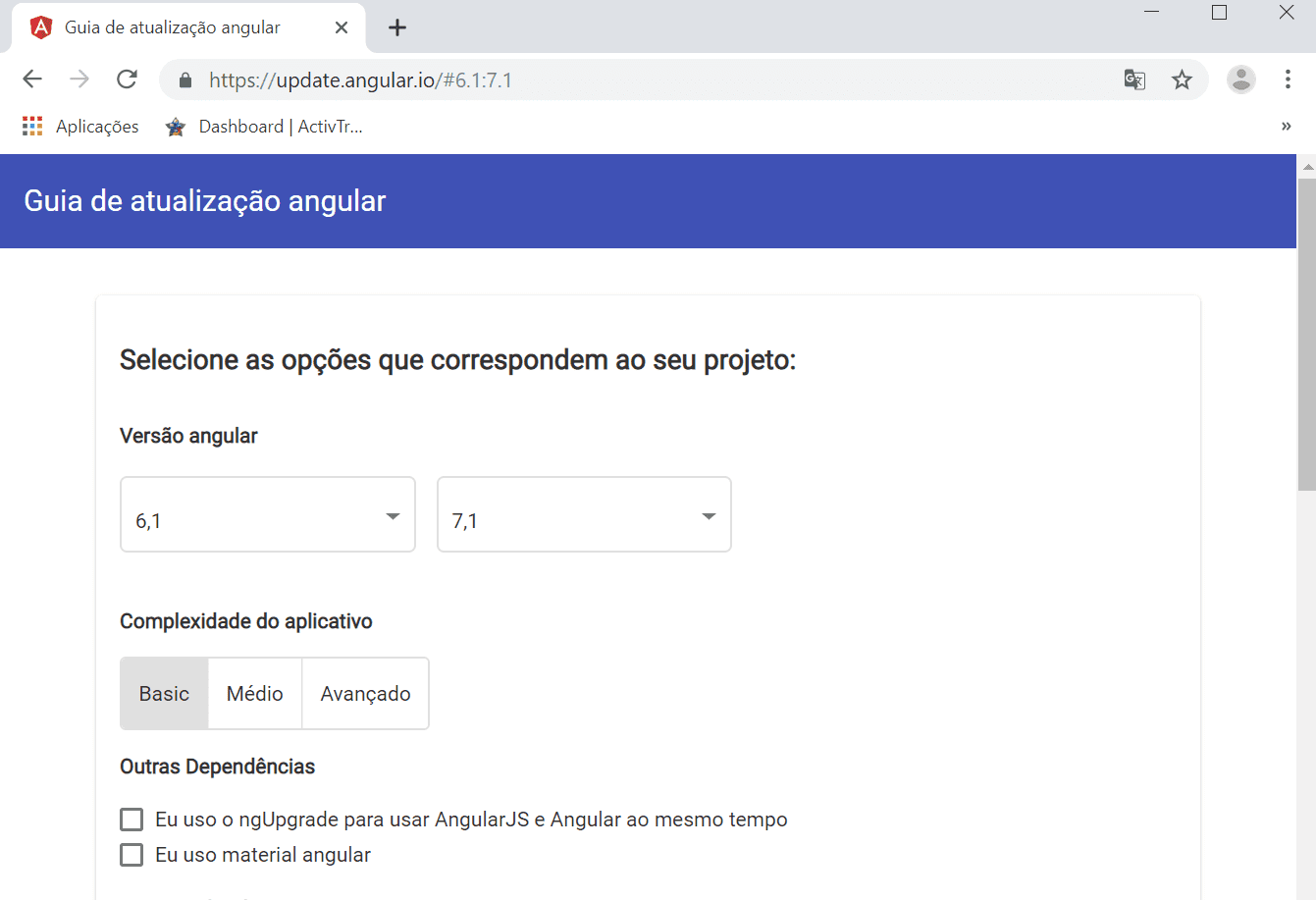
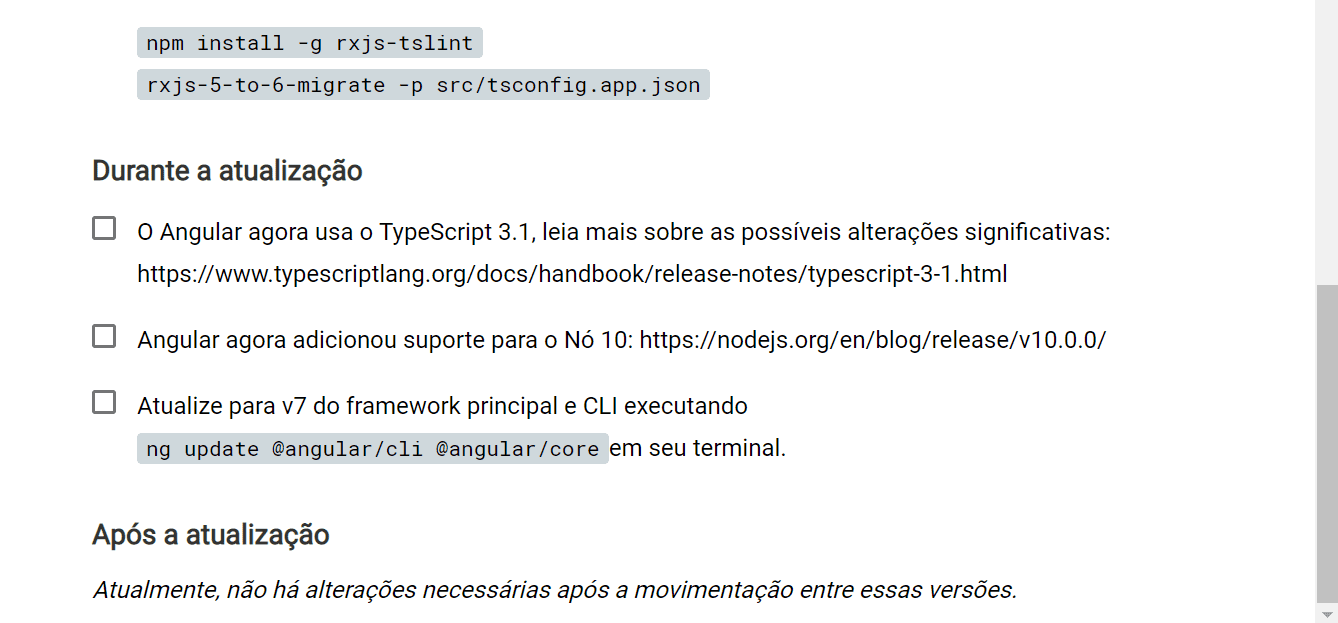
So, if you have a program developed in Angular 5 and want to move to version 6, there is a page that allows the update—the “Angular Update Guide”. You choose the versions you want and confirm the action.
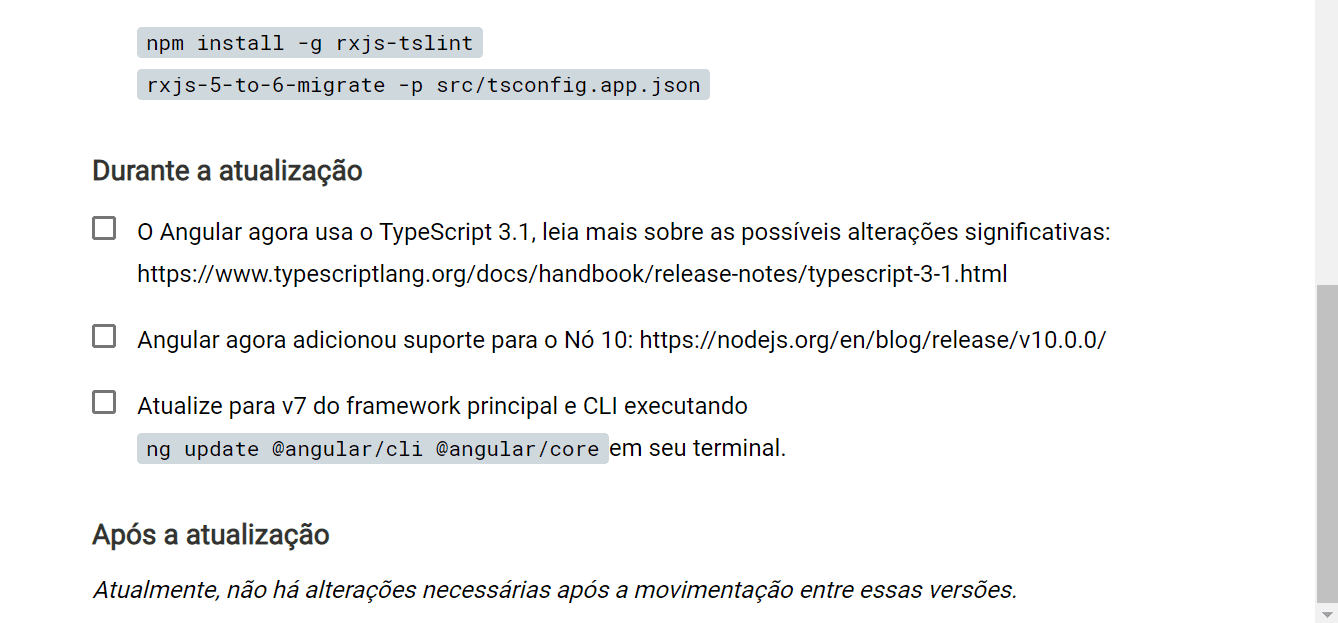
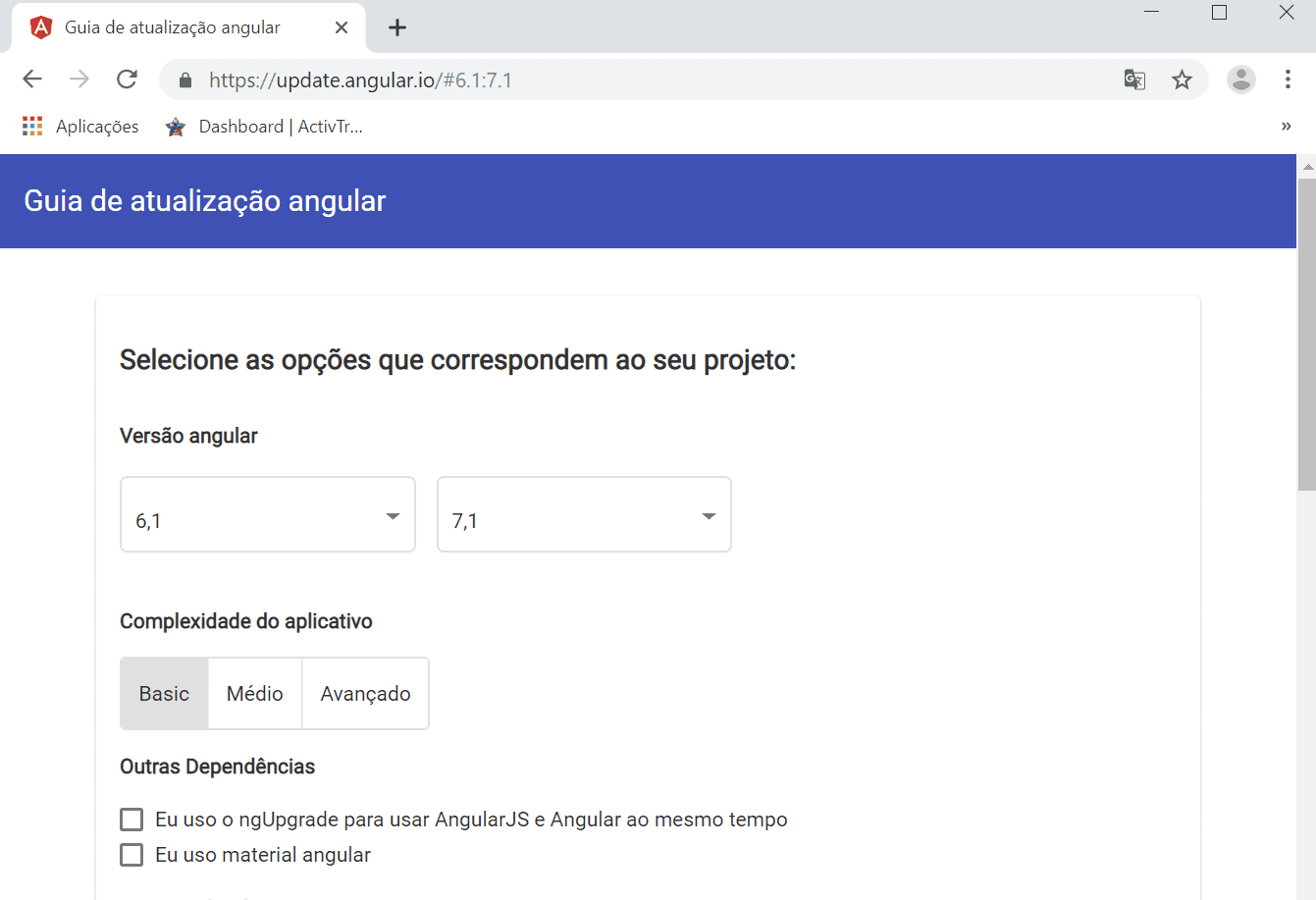
In the image above, you can see how the transition between Angular versions is done in a positive way, using accessible language that is easy to understand. In addition, the Angular update guide shows how the update is performed and the procedures to follow: before updating, during the update, and after the update. In other words, you can understand all the steps that will be carried out and decide whether the change is worth it. Finally, the main recommendation of the update guide is to update versions whenever possible, avoiding incompatibilities.
The benefits a program can provide are diverse, including helping users build knowledge, expanding their understanding of computing, stimulating logical reasoning, and encouraging exploratory and creative concepts.
Do you want to build your project with Angular or do you still have questions? Contact X-Apps and learn about projects built with this technology. With Angular, you can build Web and Mobile software with front-end applications—the entire visual layer.


