"Launch is a milestone. Reliable operation is what keeps software alive."
Many apps go down (or slowly degrade) after launch for reasons unrelated to code quality: expired domain, expired certificate, cloud payment failure, SMS provider disruption, or maps quota issues.
This guide helps non-technical stakeholders understand which recurring costs exist, what breaks when they fail, and how to organize monthly approvals to avoid production incidents.
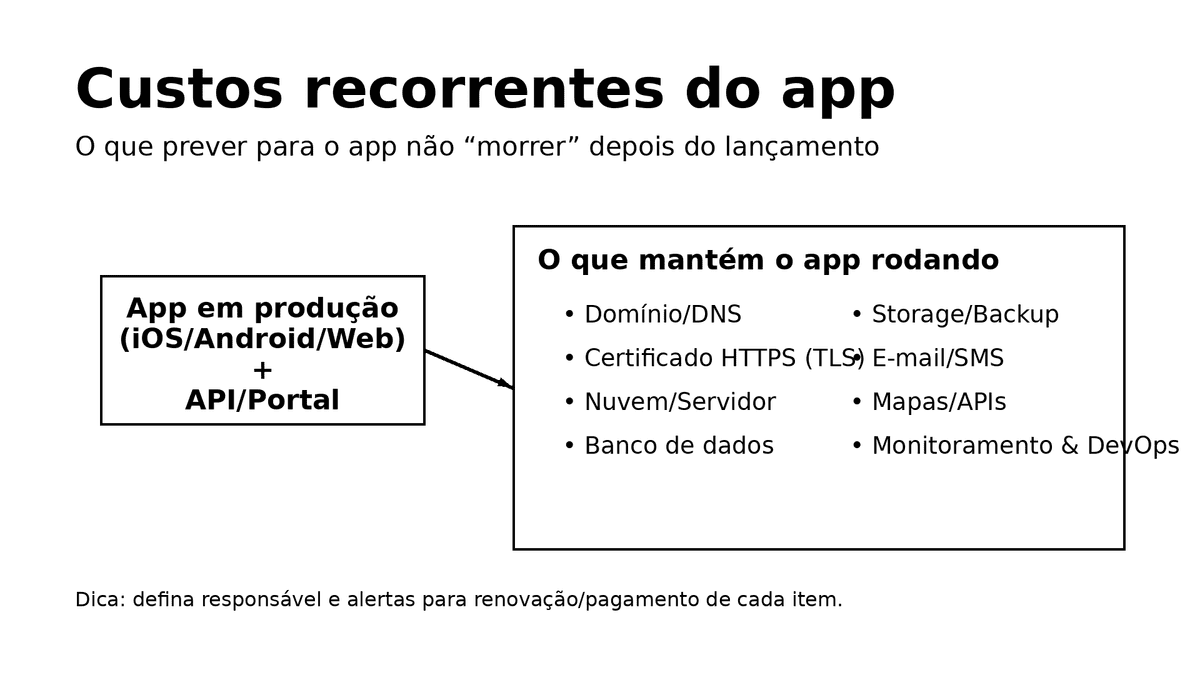
What you'll find here
- A practical map of recurring cost categories
- A simple monthly checklist to prevent surprises
- Typical cost centers: domain/DNS, HTTPS, cloud, SMS/email, maps, storage, monitoring
- What happens when renewal/payment fails
- How to define owners for monthly cost approval and operational follow-up
- Why DevOps/operations capacity is essential after launch
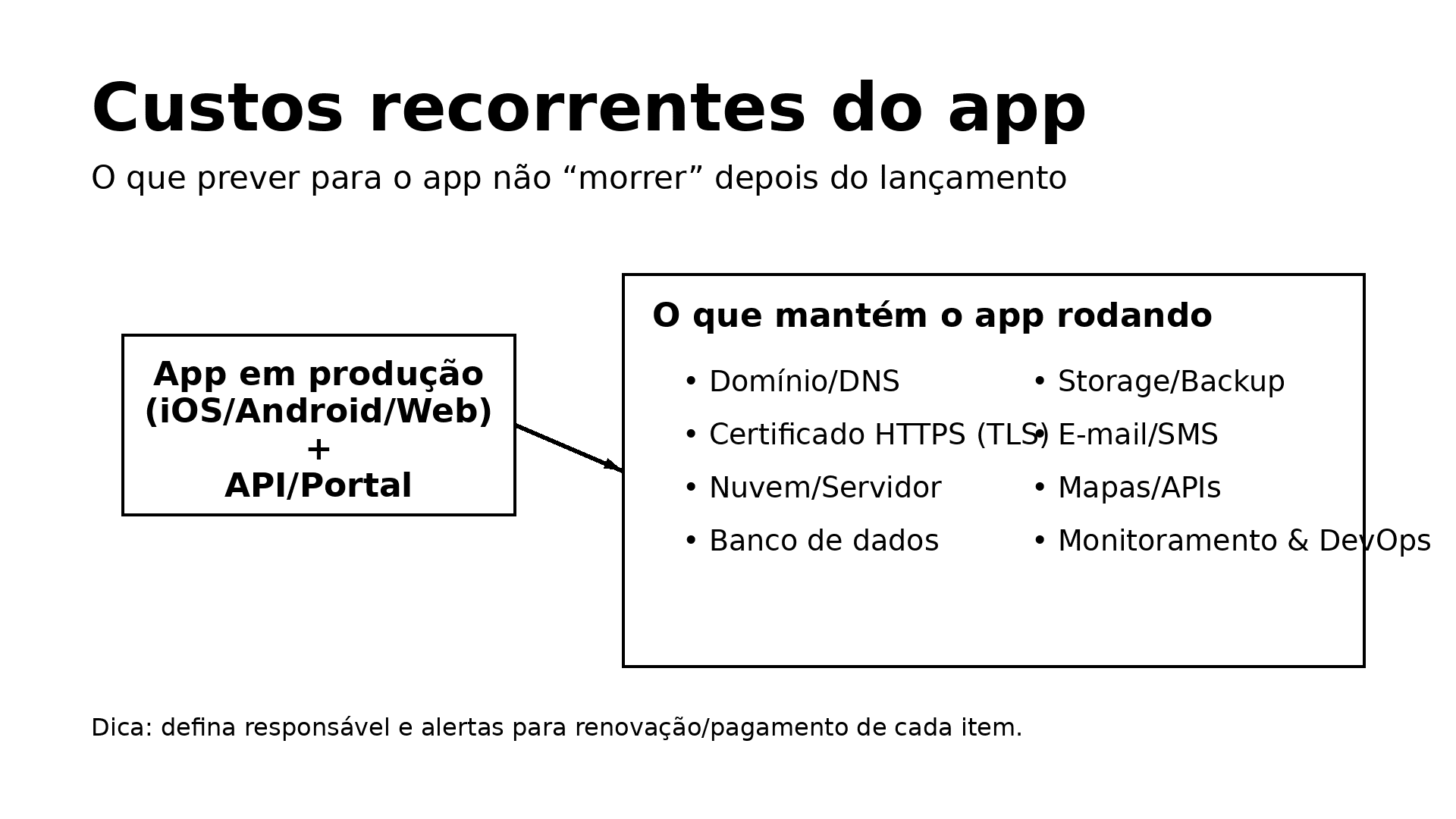
"The app died" usually means a dependency failed
Most products depend on multiple external services at once:
- Domain/subdomain for API and admin portal
- HTTPS certificate for secure communication
- Cloud/server infrastructure and database
- Transactional email provider
- SMS/OTP provider
- Maps/geolocation services
- Storage and backups
- Monitoring, logs, and alerts

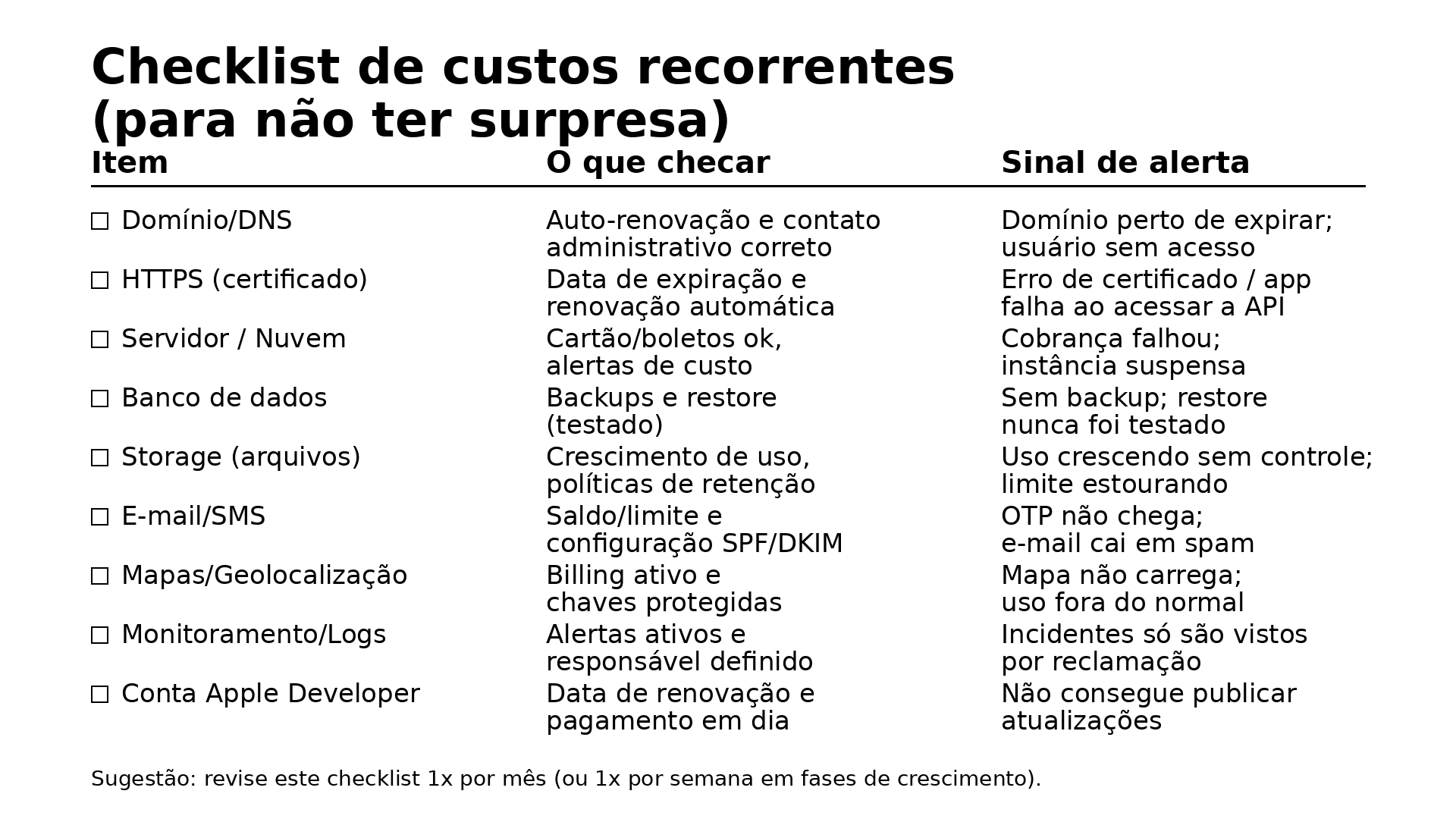
Monthly checklist: the minimum baseline
Even without a dedicated technical department, a monthly operational checklist dramatically reduces risk.
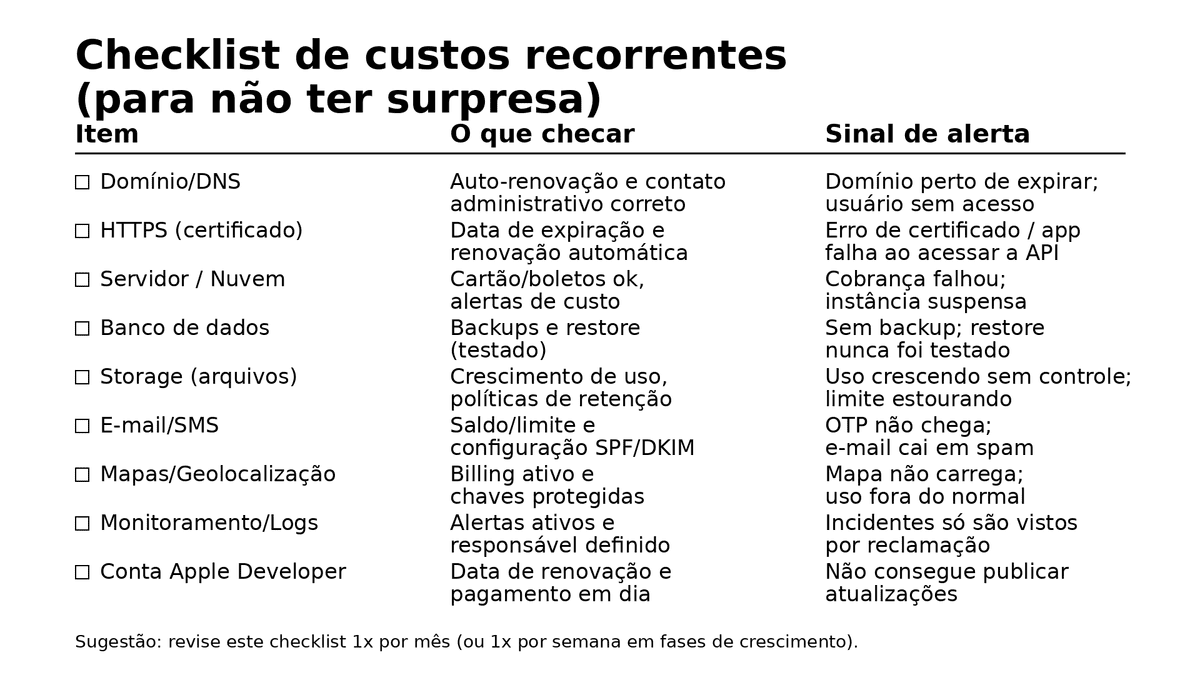
Tip: every line item needs an explicit owner and a deadline/threshold alert.
Most common recurring costs (and what happens if ignored)
Not every project has every item, but most products have some version of each category below.
1) Domain and DNS (API, portal, links)
Typical cost:
- Domain renewal (usually yearly)
- Optional managed DNS plan
Risk if neglected:
- API/portal hostname stops resolving
- Email domain can be affected
- HTTPS issuance/renewal can fail
Best practices:
- Enable auto-renewal
- Keep at least two company owners with access
- Keep ownership in the company (not personal accounts)
2) HTTPS certificate (TLS)
Typical cost:
- Certificate issuance/renewal (free or paid)
- Operational effort to guarantee renewal flow
Risk if neglected:
- Secure API calls start failing
- Browser security warnings on portals
- Integrations may fail silently
Best practices:
- Prefer auto-renew setup
- Alert before expiration (for example 30 days)
- Never bypass TLS validation in production apps
3) Cloud/server runtime (API, portal, jobs)
Typical cost:
- Compute resources (VMs/containers/serverless)
- Network traffic
- Supporting services (queue, cache, CDN, gateway, balancer)
Risk if payment fails:
- Suspension/limitation by provider
- Slow, unstable, or unavailable app
Best practices:
- Budget alerts and hard thresholds
- Clear production vs staging ownership
- Safe credential management and documentation
4) Database and backups
Typical cost:
- Managed DB or DB server
- Backup storage and retention
- Optional replication/high availability
Risk if neglected:
- Data-loss incidents become critical business loss
- Recovery under pressure becomes unreliable
Best practices:
- Automated backups + retention policy
- Periodic restore tests (at least quarterly)
5) Storage and CDN (when applicable)
Typical cost:
- Object storage volume
- Download/egress traffic
- Retention lifecycle
Risk if uncontrolled:
- Cost grows silently with media usage
- Later migration becomes expensive
Best practices:
- Upload limits and compression policy
- Separate product storage from backup storage
6) Transactional email
Typical cost:
- Sending volume
- Sender authentication setup (SPF, DKIM, DMARC)
Risk if misconfigured:
- Password reset and onboarding emails go to spam
- Support volume increases
Best practices:
- Configure SPF/DKIM/DMARC
- Monitor deliverability and bounce rate
- Keep support mailbox operational
7) SMS / OTP
Typical cost:
- Per-message usage billing
- In some regions, sender registration overhead
Risk if budget/limit fails:
- Users cannot receive login codes
- Direct conversion and access impact
Best practices:
- Monthly limits and alerts
- Use alternative channels when possible (email/push)
- Enforce resend cooldown and abuse controls
8) Maps and geolocation APIs
Typical cost:
- Maps/places/geocoding API usage
- Billing account maintenance
- API key protection
Risk if billing/quota fails:
- Maps stop loading
- Address resolution fails
- Core UX appears broken
Best practices:
- Restrict keys by app/domain
- Set usage alerts and caps
- Cache repeated lookups when possible
9) Monitoring, logs, and alerts
Typical cost:
- Monitoring platform fees or infra
- Engineering time for alert triage/incident response
Risk without monitoring:
- Outages discovered by customers first
- Performance problems become subjective instead of measurable
Best practices:
- Baseline alerts: availability, 5xx, latency, DB health
- Clear incident channel and owner
10) Apple/Google publishing accounts
Typical cost:
- Apple Developer renewal
- Ongoing compliance/ownership maintenance in Play Console
Risk if access or compliance fails:
- You lose ability to ship updates and fixes
Best practices:
- Company-owned credentials
- 2FA with backup method and backup owner
- Clear ownership transfer process
The most important recurring cost: continuous operation and improvement
Some recurring costs are not vendor invoices. They are delivery capacity to:
- Fix defects
- Update business rules
- Improve performance
- React to user feedback
- Keep dependencies secure and current
- Maintain compatibility with iOS/Android updates
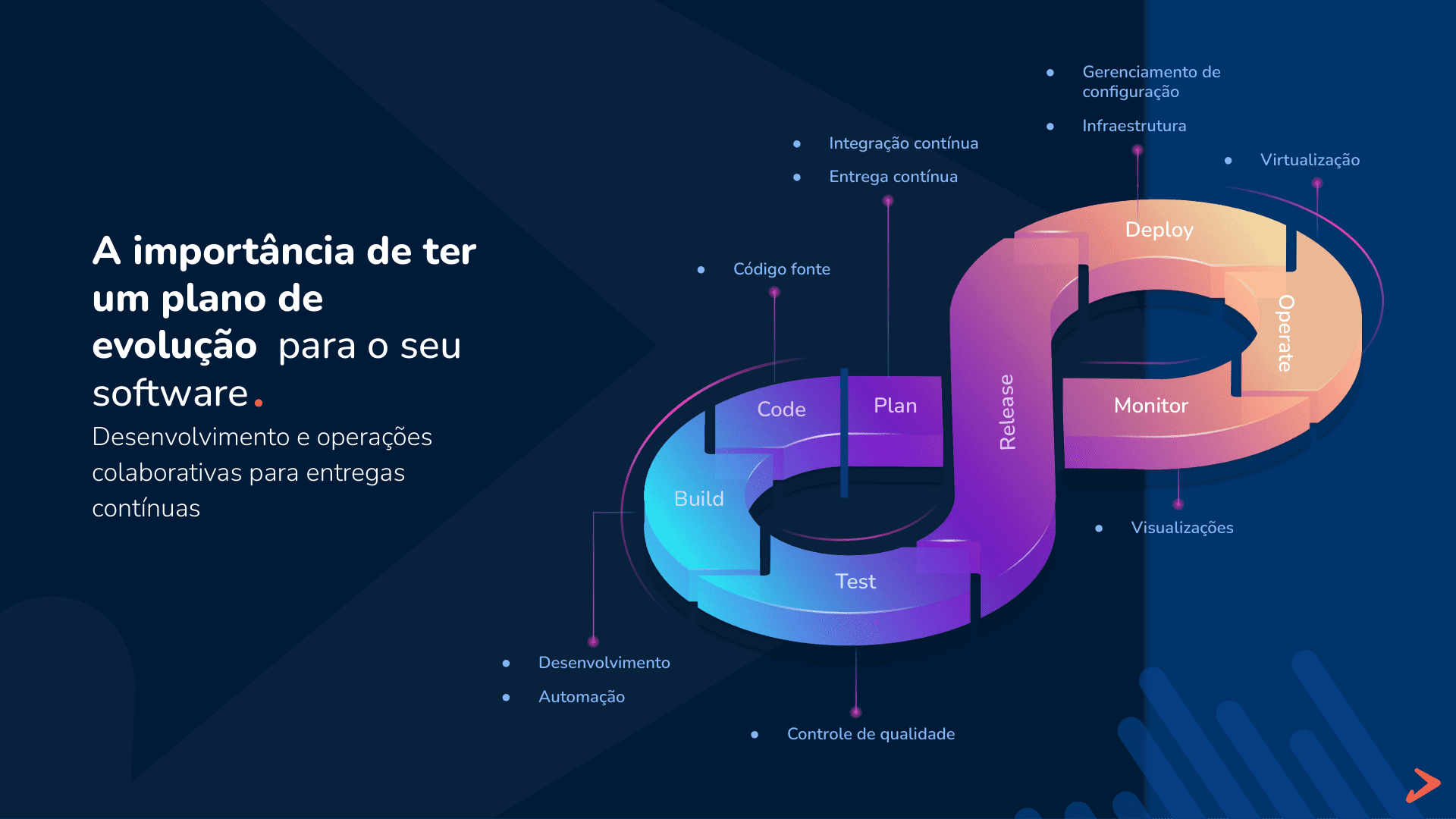
This is the core of DevOps lifecycle discipline:
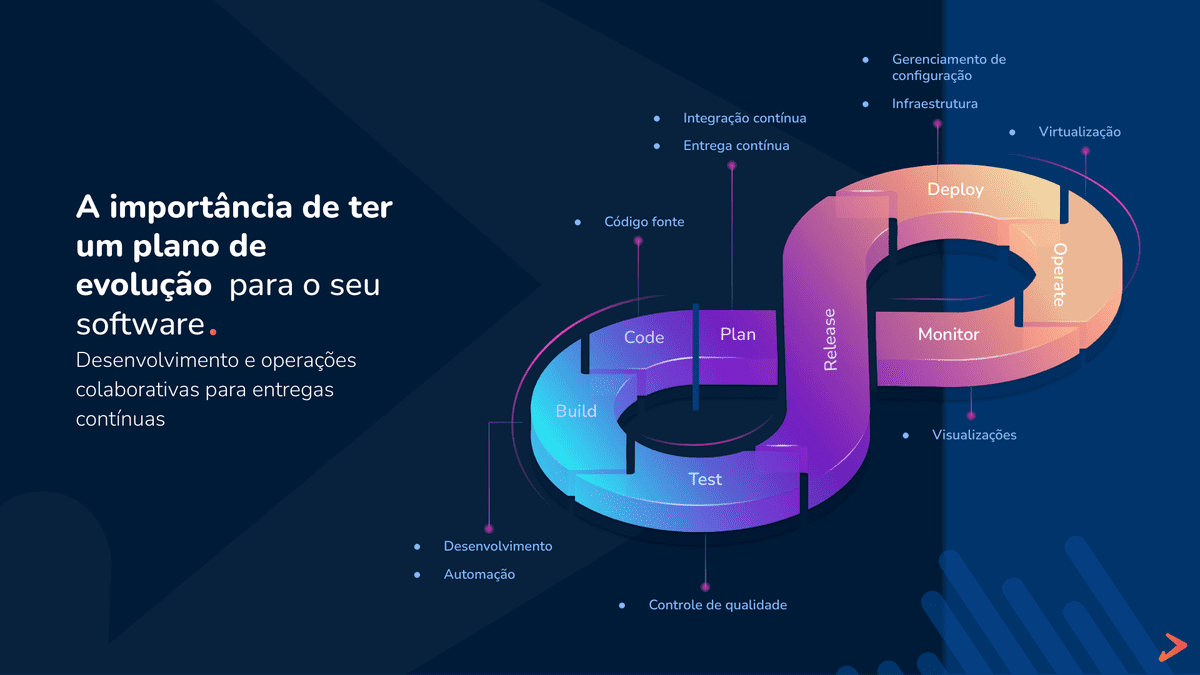
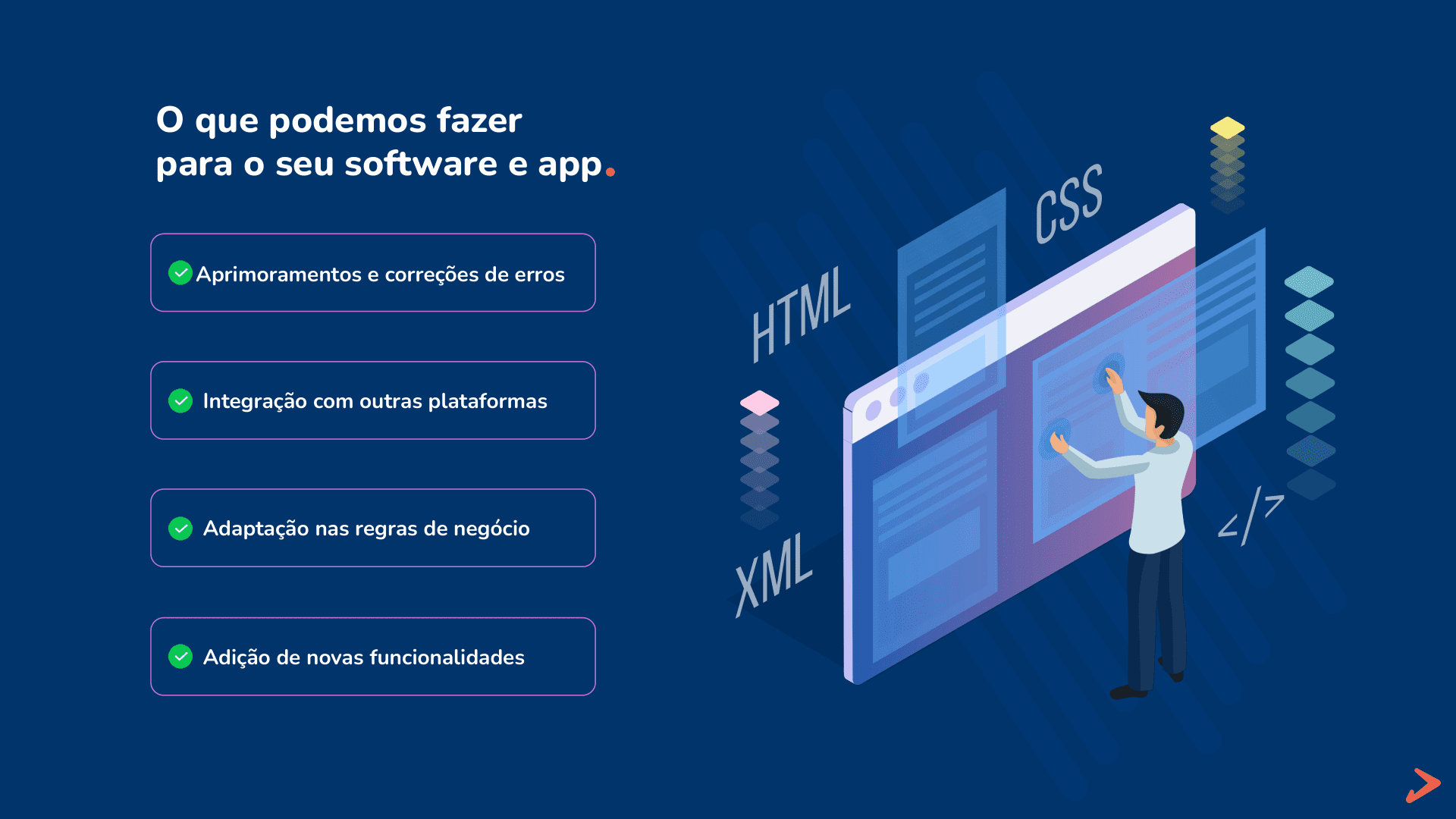
And these are the most common post-launch requests teams face:
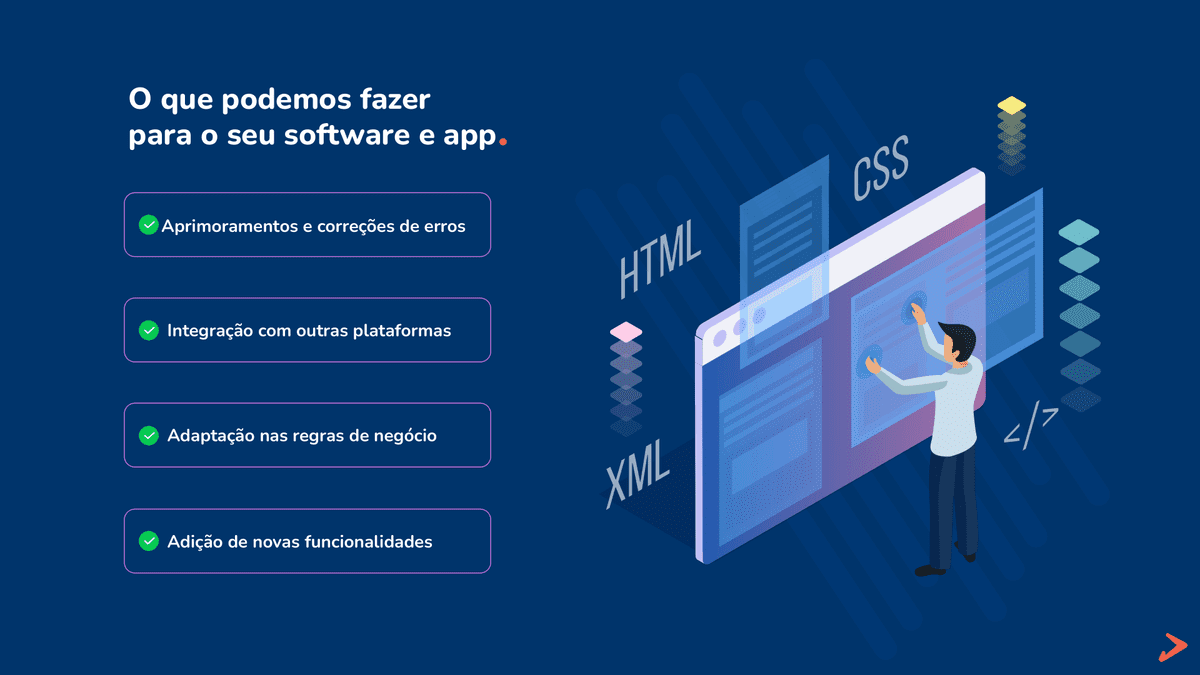
If you want dedicated support in this phase, X-Apps offers a focused Operations and DevOps service to keep software healthy and relevant over time: Learn about Operations & DevOps service

Who should approve monthly budget (without blocking delivery)
To avoid approval ping-pong, define three clear roles:
- Product/business owner
Sets priorities and approves roadmap changes.
- Technical operations owner
Tracks alerts, risk, and service health.
- Finance approver
Keeps recurring services paid and enforces budget thresholds.
A practical governance flow:
- Technical team sends a short monthly report (usage, changes, risks)
- Finance uses predefined approval thresholds
- Critical incidents follow fast-track approval
Using your existing domain vs buying a new one
Using your main company domain with subdomains is usually the best default.
Advantages:
- Fewer renewals to manage
- Better brand consistency (
api.yourdomain.com)
- Lower risk of forgotten side domains
Cautions:
- DNS edits must be controlled and documented
- Keep at least two administrative owners
When a separate domain can make sense:
- Strict governance isolation
- Independent product/business unit strategy
If you buy a separate domain, enforce company ownership and auto-renewal from day one.
Final internal approval checklist (copy and paste)
With this baseline, your product can grow sustainably instead of failing due to preventable operational gaps.