Índice do artigofaltam 5 min de leitura
Imagine a maintenance company that assigns work orders from a spreadsheet and collects technicians' photos over WhatsApp. The operations director asks vendors for app development quotes. When she goes along on a service call, she sees where the work gets stuck. The technician finishes the job in a basement, loses their signal and sends the photos hours later. Back at the office, the team is waiting to close the work order. The director now has a question she can ask every vendor to demonstrate. Can the technician finish the job offline, and does the office get the record when the connection comes back?
Decide whether you need custom software
Pick a job that took place yesterday. Follow it from the person who requested it to the person who checks that it was done. Write down where people re-enter information, wait for a reply or find a workaround. Choose a measure that will tell you if the software helped. In this example, you could track how long it takes to clear a work order for invoicing after the technician leaves the site.
Before asking for a quote for a custom project, try running a real workflow through off-the-shelf software. If it handles the main tasks, check the license costs, how you can export your data and what it can connect to. If the gap is in how two tools you already use exchange information, an integration may fix the expensive part of the process. Consider custom development when a business rule, a critical workflow or a part of the customer experience depends on something existing tools struggle to handle.
Choose the platform once you understand the work. A web app is a good fit when people need to open a link across several devices. For a field team, see what happens on a weak connection when technicians take a photo and the upload has to wait. An installed app may be a better fit if those capabilities are central to the job. Ask vendors to explain their recommendation and show you how it behaves on your team's devices. If you want to turn a service into a platform that connects customers and providers, start by testing how a request reaches a provider and how the customer gets a confirmation. That small test exposes where staff still need to step in before you automate dispatch.
What to put in a request for proposals
Give each vendor the same workflow. Describe who starts it, who approves it, which systems need to exchange data and what people should do if something goes wrong. Decide what belongs in the first version. In the maintenance example, a technician opens a work order, records the visit and saves photos offline. When the network returns, the office gets the completed order and its photos. A dashboard reporting by branch can follow once that sequence works.
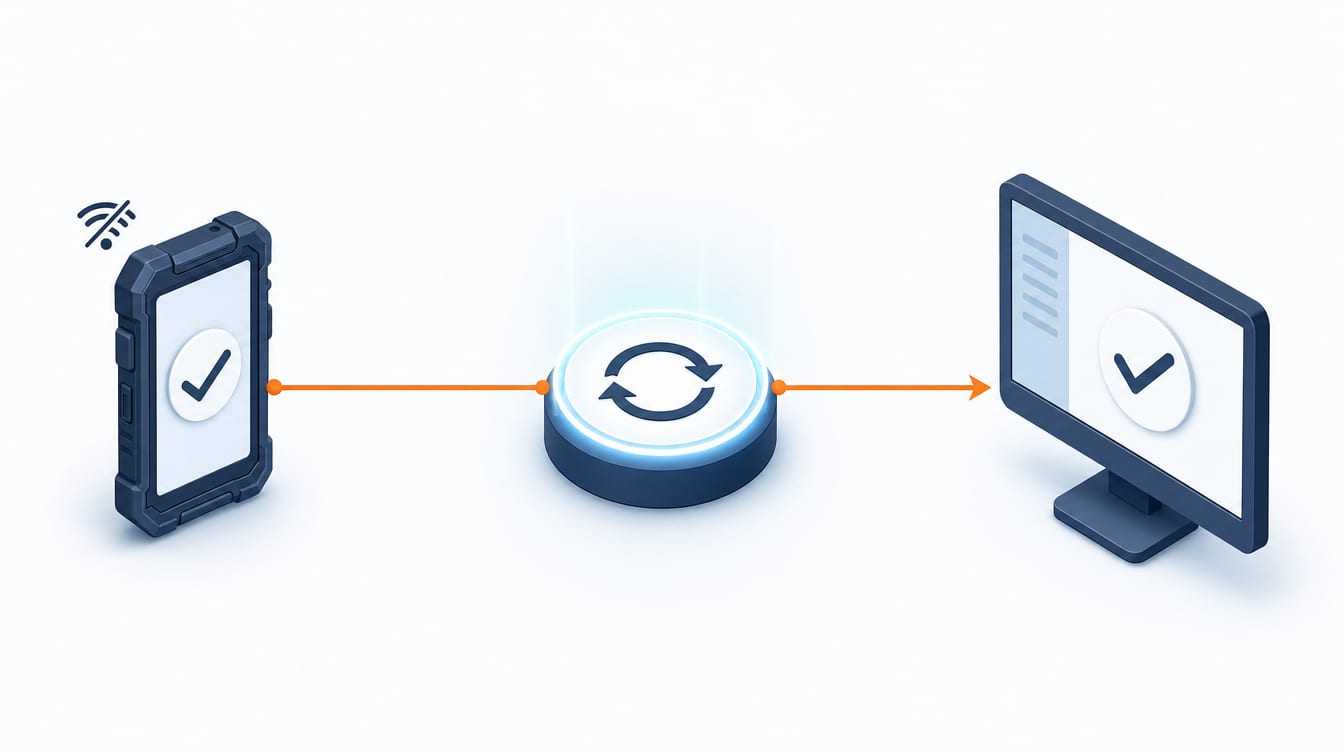
Write down the result you will sign off on. Ask the vendor to demonstrate losing connectivity mid-upload. Agree on what the technician should see while the upload is pending and how the office can check that the work order arrived only once. Use the team's own devices for acceptance testing. If you plan to roll out to several branches, start with one that represents typical operating conditions and watch the team carry out the workflow during its regular shift.
Notifications earn their place when someone needs to act. A newly assigned or rescheduled visit is a good candidate. Agree on when to ask for permission and how staff who prefer to check the work order list can find the same information. Apple's web push documentation explains how to ask for permission and send notifications to web apps added to the iPhone Home Screen. When an alert is essential to the job, test that behavior on the team's devices.
How to compare development proposals
Read proposals side by side and look for the same outcome. In one, “integration with your business software” might include testing against your system. In another, the vendor might handle only its side and leave a second team to finish the connection. Ask each vendor what it will deliver, what it needs from your team and how it will demonstrate that the connection works.
| Proposal item | Question for the vendor |
|---|---|
| First version | What can a user complete at launch? |
| Integrations and data | Who provides access and tests against our systems? |
| Acceptance | What scenarios will we test together, and who signs off? |
| Operations | What costs begin after launch, and who responds to an outage? |
Integrations that are difficult to test, data migration, permission levels, offline use and app store reviews can affect cost and schedule. Price the work to get the first version live separately from ongoing hosting, third-party services and support. Our guide to budgeting for a first version (in Portuguese) walks through that split.
Ask who makes product decisions, who designs and tests with users, who owns integrations and who prepares the launch. One person can fill several roles. You want to know who can make a decision or respond when something breaks. Ask for a portfolio example where the vendor solved a challenge comparable to yours, and find out what happened once customers or employees began using the software. For a discussion about security, NIST’s secure development guide gives buyers a basis for asking how the vendor checks changes before publishing them and responds to flaws after delivery.
Where AI can help during development
A clickable prototype gives people something to try before you commit to development. AI tools can help explore variations and draft test scenarios. For the maintenance workflow, ask a technician to walk through the prototype, show when they take photos and explain how they know a work order is ready to close.
The DORA report on AI-assisted software development found that AI magnifies strengths and problems in the way teams already work. When a vendor uses AI to write code, ask who reviews changes and how the tests verify the behavior you agreed on. Set expectations early about which data can go into which tools and environments. Our guide to taking an AI-built app into production (in Portuguese) covers the integration, security and maintenance decisions that come after a demo.
Agree on who runs the software after launch
Before signing, confirm how your company will receive the source code, documentation and access to hosting and publishing accounts. Decide who watches the system in the first weeks, who receives alerts and who budgets for maintenance. Ask the vendor to demonstrate that a backup can be restored and explain how to roll back a bad update. If you switch vendors, the new team will need to know where the settings live and how to publish an update.
For the maintenance company, a successful first delivery means a technician can close the visit on site and the office can get on with its work as soon as the record arrives. Bring a scenario like that to a conversation with a vendor. It can help you decide what is worth building, what belongs in the contract and how you will recognize a successful delivery.
See how X-Apps handles prototypes, staged deliveries and launch in Agile projects.