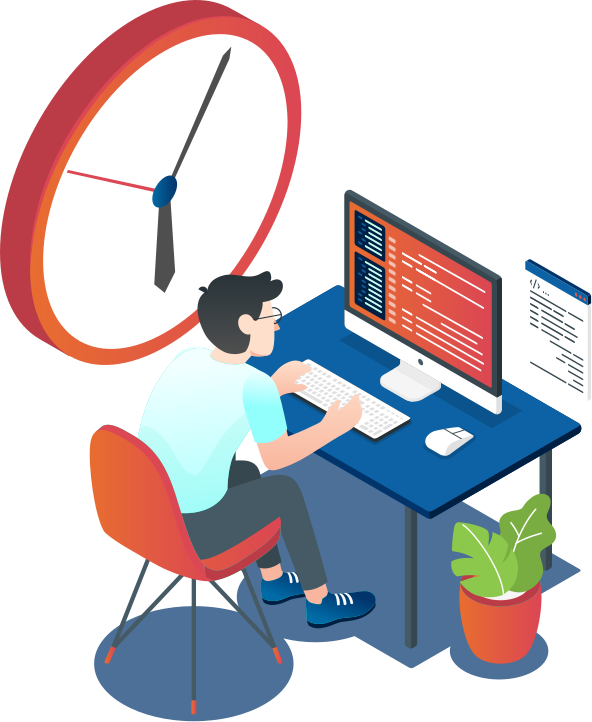
Agile projects
A product from zero to launch, with scope and timeline agreed.

Official files, website patterns and guidance for decks, proposals and email signatures.
X-Apps is a technology team that blends product culture with on-demand software execution, focused on design, agility, and efficiency.
We build apps and systems for companies and startups. We help clients thrive with products, services, and platforms that improve the user experience.
Build software in an agile, lean way, always aligned with our clients' business goals.
Drive business progress and automation through technology.
Always use the official file. Each version below links straight to the SVG, with no need to download the pack.

Horizontal logo for white or light backgrounds: inner document pages, letterhead.

Horizontal logo with white wordmark and gradient symbol: navy cover, blue background.

Pure gradient symbol, no background: page header, reduced mark.

The X is the base module (1x) used to build the entire brand system.
The primary symbol is derived from this module, occupying a strict 13x by 13x grid and keeping consistent proportions across all variations.
These are study diagrams with guide lines. They are not logos for use.
Keep at least 4x of clear space around the mark. Keep at least 4x between the logo and any other element.
| Version | Digital (height) | Print (width) |
|---|---|---|
| Horizontal | 30 px | 30 mm |
| Symbol | 20 px | 8 mm |
| Vertical To be confirmed | 50 px | 23 mm |
If the mark feels cramped or becomes unreadable, choose a simpler variation and increase the available space.
Whenever the image is displayed inside a circle (LinkedIn, Instagram, Google, WhatsApp and YouTube avatars, ad account profiles, and rounded app icons), use the optically compensated symbol.


A single rule for the client logo in proposals and sales materials.

The real client logo file goes on the closing page, inside a white chip. Without a file, only with a written waiver.
On the cover, the client name is set typographically.
The "X-Apps + client" lockup on the cover is an optional variant, off by default.
--xa-cor-azul--xa-cor-laranja--xa-cor-coral--xa-cor-simbolo-inicio--xa-cor-simbolo-fim--xa-cor-branco--xa-cor-ink--xa-cor-muted--xa-cor-line--xa-cor-soft--xa-cor-papel--xa-cor-alerta--xa-cor-navy-capa--xa-cor-navy-escuro--xa-cor-navy-medio-escuro--xa-cor-azul-selecao--xa-cor-azul-claro--xa-cor-azul-acinzentado--xa-cor-azul-suaveServices have no color of their own: their identity is the name and the scene. The short label is always blue. No stripe on top of a card, no colored border, no background in a service color.
Nunito everywhere: site, documents and presentations. Fallback stack: Arial, Helvetica, sans-serif.
On screen, the heading period and the highlighted word receive the interface gradient, never flat orange. These are the only uses of the gradient inside text. In A4 print the period is flat coral (#DB4653), because the gradient does not print faithfully.
| Style | Size | Weight | Line height |
|---|---|---|---|
| Cover title (H1) | clamp(2.25rem, 3.4vw, 2.875rem) | 700 | 1.07 |
| Page title (H2) | 28px / 34px / 40px | 800 | 1.12 |
| Lead | 1rem / 1.1rem | 400 | 1.6 |
| Kicker | 0.78rem | 700 | · |
| CTA | 1rem | 700 | · |
| Style | Size | Weight | Line height |
|---|---|---|---|
| Cover title (H1) | 31 pt | 800 | 1.1 |
| Page title (H2) | 21 pt | 800 | 1.12 |
| Subtitle (H3) | 12 pt | 700 | 1.22 |
| Lead | 11.5 pt | 400 | 1.5 |
| Body | 10 pt | 400 | 1.5 |
| Caption | 8 pt | 400 | 1.4 |
| Kicker | 8 pt | 700 | · |
| Highlighted number | 17 pt | 800 | 1.1 |

Every official illustration, with a direct link to the file. The three service ones are the only ones that identify an engagement model.
A product from zero to launch, with scope and timeline agreed.
Systems live and evolving, for a monthly fee.

Experienced professionals inside your team.

Service scenes always appear inside the service card, as above. The files are in the service sheet
Audiovisual reference for the X-Apps brand to guide language, rhythm, and visual expression.
Three main services and two complementary ones. Always use the canonical name, with the exact spelling.
A product from zero to launch, with scope and timeline agreed.
Systems live and evolving, for a monthly fee.
Experienced professionals inside your team.
The card above is the face of each service and never changes from place to place. Short label and scene file live here, outside the card.
| Service | Short label | Official scene |
|---|---|---|
| Agile projects | Project | Download SVG xapps-service-projetos-ageis.svg |
| DevOps operation | Operation | Download SVG xapps-service-operacao-devops.svg |
| Developers on demand | Squad | Download SVG xapps-service-desenvolvedores-sob-demanda.svg |
| Artificial intelligence | AI | Provisional scene, no official file |
| Software licenses | Licenses | Provisional scene, no official file |
| Criterion | Agile projects | DevOps operation | Developers on demand |
|---|---|---|---|
| When to choose | I have an idea to get off the ground. | I already have a system in production. | My team is short on people. |
| Who manages | X-Apps, with a complete team: product, design, engineering, quality and AI. | An X-Apps manager as the single point of contact: sets priorities, brings in the right team and follows each delivery. | You, in your own process. X-Apps follows onboarding and continuity. |
| How it is contracted | Fixed price per scope. | Monthly, scales up or down as needed. | Monthly, scales up or down as needed. Digital contract. |
| Highlights | Clickable prototype · Staged deliveries · You own the code | Support · Improvements · Budget that scales up and down | Mid-level and senior · Start in days · Guaranteed replacement |
Agents and automations connected to the company's systems.
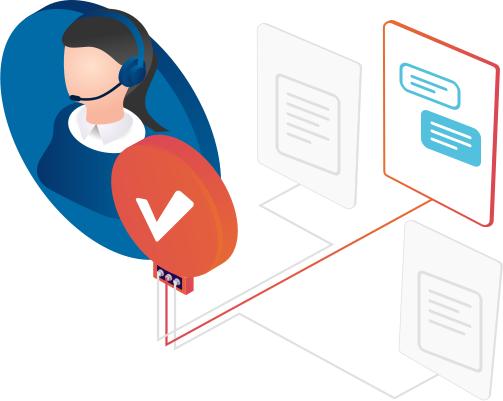
Licenses with local invoicing, rollout and training.




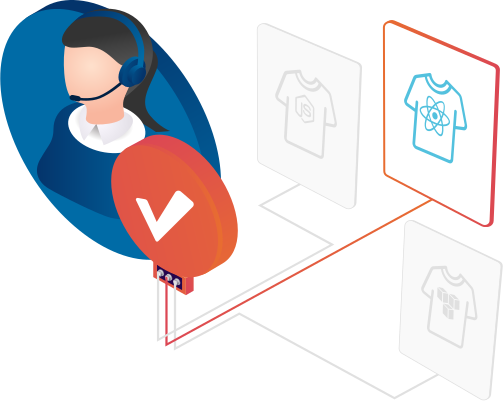
The shirt stands for each person of a squad in proposals and sales materials. The drawing is the same one used by the X-Apps squad builder.
Flat orange fillet (#E86D30) under the shirt. The body keeps the seniority tone.
The SVG body uses currentColor: the color comes from CSS. As a standalone image the shirt renders black. Inline the SVG or use the file as a mask.
The Home page introduces X-Apps, the service pages help readers choose how to work with the team, and the Portfolio shows what we delivered. Each page is organized around the decision it supports.
A solid blue hero introduces the promise, one word or phrase in a gradient and a primary CTA. The page covers the three main services, company principles, client wall, testimonials, press, blog and closing section.
In Brazilian Portuguese, the explorer combines an app icon wall, search and filters, a summary before the case and a testimonial wall. In English, the catalog uses the original bands and links to case details when the case is available in English.
The product showcase sits alongside the hero. Five cards introduce the offers. Stories and testimonials appear in their own section.
The project board shows the delivery stages and cadence. Stories give context for the work delivered.
The lifecycle explains how the service works. The investment section brings plans and a simulator into a panel readers can expand on mobile.
A selector introduces the available roles. The staffing model explains engagement options and how professionals join the team.
Use cases show the stages of each workflow. A roadmap takes readers from pilot to operation.
A summary lays out what the engagement includes. A roadmap describes rollout and training.
The quiz, side-by-side comparison and journey help readers decide where to start.
Home and service pages use a dedicated closing section with next steps, a CTA and questions relevant to the page. The site footer includes the brand, email, WhatsApp, address, site map and policies. The columns stack on mobile.
CartaoMagro combines the service name, positioning line and isometric scene. Home shows the three main services. Each individual service page uses its card in the hero.
A product from zero to launch, with scope and timeline agreed.
Systems live and evolving, for a monthly fee.
Experienced professionals inside your team.
Example of the CartaoMagro component.
The five cards show the scene, name and a short description. There are five columns on wide desktops, up to three on tablets and one on phones. In the compact layout, the 64 px scene sits next to the text. Stories and testimonials appear in the client section.
A product from zero to launch, with scope and timeline agreed upfront.
Systems running and evolving, for a monthly fee.
Experienced professionals inside the team, remote or on site.
Agents, automations and assistants connected to the company's systems.
Claude and other AI tools with local invoicing and rollout.
When citing a client, the logo appears in white over the potato, the organic shape from the home page, in that brand's color. It takes weight off the client's brand, usually better known than ours, and unifies any list of names. Variations are the same potato rotated or mirrored; each client always gets the same one.




At rest the logo is light gray. On hover or focus, the shape grows in the brand color and the logo turns white.
Component: MarcaNegativa in src/components/ServicosVisual/kit/MarcaNegativa.js (shapes, formaDe and CSS). The examples above are the component itself.
A client's words have a single design across the site: the light paper from the /portfolio mural, taped in the client's color, with a quote mark in the corner and, in the footer, the client's logo in negative over the brand tone, the name in bold and the signature. It applies to /portfolio, case pages, service pages and blog posts.
A equipe explicou cada decisão técnica em palavras que o nosso time entendia.
Components: Papel and Mural in src/components/PortfolioExplorer/Mural.js (/portfolio, cases and services) and DepoimentoPapel in src/components/Post/DepoimentoPapel.js (posts). The example above is the component itself.
This is the standard the blog writers follow. Pick the block by what the text needs to do: explain a number, compare, show a process, tell before and after, or highlight an idea. Each example below is the post HTML, rendered with the production CSS. Examples are in Portuguese, as the blog is published. A block is an exception, not decoration: use it only when it explains better than the paragraph.
The cover introduces the article’s central idea. The internal illustration explains a distinct mechanism or step. Each article uses its own images, with a simple composition, elements tied to the story and clarity on small screens.
Choose the block that clarifies the story. Avoid repeating the cover in the body, hiding essential information behind clicks or using technological decoration unrelated to the subject.
When the argument rests on a value. One block per key number, never a number without its source in the text.
xa-statsxa-statWhen to use: Two or four key numbers, right before the analysis. Labels of up to four words. With data-anim="count" the number counts up, once per article.
Avoid: An odd number of cards: the grid has two columns and leaves an orphan.
xa-figurexa-chartWhen to use: Charts are always HTML, never an exported image. Bars stay blue and only the bar the text discusses gets is-accent. The caption adds context.
Avoid: A width that does not match the number: it is the value divided by the largest in the series.
xa-cadeiaWhen to use: Shows where a value comes from, link by link. Up to five links, with the result always last. The arrows are added automatically.
Avoid: Using it for a sequence of steps: that is a flow diagram.
xa-donutWhen to use: Parts of a whole, at most three slices, with the legend beside it. Blue for the slices, orange only for the one the text highlights.
Avoid: A slice under 10%: it disappears in the ring.
When the reader has to choose. The same criteria for every option and a single highlight, on the recommended one.
xa-table--comparexa-sourceWhen to use: Two to four options, criteria in the first column. is-recommended on the th and td of the recommended column. Source right below, in xa-source.
Avoid: Paragraphs inside cells and whitespace between table tags.
| Critério | Time interno | Desenvolvedores sob demanda |
|---|---|---|
| Tempo para começar | 2 a 3 meses | Dias |
| Quem gerencia | Você | Você, com apoio da X-Apps |
| Substituição | Novo processo seletivo | Garantida |
Exemplo ilustrativo, sem dado de cliente.
xa-matrixxa-quadWhen to use: Two variables, four quadrants in top-left, top-right, bottom-left, bottom-right order. A single is-pick.
Avoid: A quadrant with no recommendation: each one says what to do.
xa-proscontrasWhen to use: The same number of items on both sides, one idea each.
Avoid: Weak cons just to fill the column: it reads as advertising.
When order matters. Pick by the nature of the sequence: decision, time, task or calendar.
xa-figurexa-flowWhen to use: Steps of a process with decision points (is-decision). Up to eight steps.
Avoid: More than eight steps: the article column is narrow.
xa-timelineWhen to use: Rebuilds what happened over time, with the break point in is-break and the outcome in is-end. Up to six steps.
Avoid: Using it for a task list: that is the numbered steps block.
O tráfego triplica em uma hora.
A fila de cobrança não acompanha o pico.
A operação sobe a capacidade e documenta o ajuste.
xa-passosWhen to use: A static list of actions: the action in bold, the detail after.
Avoid: Mixing it up with xa-steps, the interactive navigator.
xa-ganttWhen to use: Phases in weeks, at most six. data-destaque only on the phase the article discusses; data-continua for what has no end date.
Avoid: Day granularity and schedules exported as images.
When the story is the change. The same criteria on both sides, with the after state always in brand blue.
xa-contrasteWhen to use: Two states side by side, with a short title on each. The data-depois side stays in the institutional blue.
Avoid: Items that do not match: each after line answers a today line.
xa-curveWhen to use: Shows change over time, with up to four milestones explained below. Points are written straight into the SVG (viewBox 560x210, inverted y) and the axis starts at zero.
Avoid: The draggable before and after (xa-compare): with short text the after side disappears. For two states, use the today and after contrast.
For what the reader cannot miss. Sparingly: one highlight of each kind per article.
xa-calloutxa-callout--infoxa-callout--destaquexa-callout--atencaoWhen to use: Three tones: info (blue) for how to read, destaque (orange) for the article's insight, atencao (coral) only for real risk. At most one of each per article, never two in a row.
Avoid: More than three lines: a callout is not a supporting paragraph.
xa-quotedata-depoimentoWhen to use: A client's words always go on the /portfolio mural paper: tape in the client's color, quote mark in the corner and the client's logo in negative in the footer. The markdown is the xa-quote with data-depoimento, the released testimonial's literal text and the footer "Name, Signature"; the paper comes from rendering. Two per post at most.
Avoid: A testimonial without data-depoimento, edited or shortened, or words that were not released: check-case-mentions fails it.
A equipe explicou cada decisão técnica em palavras que o nosso time entendia.
xa-quoteWhen to use: A sentence from the X-Apps team or a public source that carries the thesis, with attribution in the footer and no data-depoimento. Two lines at most. It keeps the side bar, never the mural paper, which is for clients only.
Avoid: A quote carrying data: numbers go in a stat card or chart.
A gente parou de discutir ferramenta e passou a discutir o que o cliente precisa.
xa-checklistWhen to use: Four to six actionable criteria. With data-anim the items tick one by one.
Avoid: Using it as a product feature list.
A4 commercial proposal: cover, page structure and pieces. This section carries no commercial values.
The cover is never empty. Order of preference:
Header with section and symbol, title with a flat coral period, one dark block at most, and footer with page numbers.
Reference structure, with six pages. The cover opens; the closing page carries next steps and the client logo.
Create a personal or role-based signature using the X-Apps standard. Your details stay in this browser.
Complete the fields to preview your signature.
Copy the signature. Under Settings > Accounts > Signatures, create or replace the signature, paste it, choose the defaults and save. Check a new message and a reply.
Under Settings > General > Email > Manage email signatures, select HTML and paste the code. Save and check the signature and a new CRM email.
Some apps may change or block images and formatting. Check the signature in your email app before using it.
The two files below are generated from a single source and are the reference for code, documents and agents.
:root {
  --xa-cor-azul: #00346B;
  --xa-cor-laranja: #E86D30;
  --xa-cor-coral: #DB4653;
  --xa-cor-simbolo-inicio: #F27C36;
  --xa-cor-simbolo-fim: #ED485F;
  --xa-cor-branco: #FFFFFF;
  --xa-cor-ink: #0B1F3A;
  --xa-cor-muted: #5F6F84;
  --xa-cor-line: #E3EAF2;
  --xa-cor-soft: #F6F8FB;
  --xa-cor-papel: #FFFFFF;
  --xa-cor-alerta: #A8323B;
  --xa-cor-navy-capa: #002955;
  --xa-gradiente-interface: linear-gradient(90deg, #E86D30 0%, #DB4653 100%);
  --xa-gradiente-simbolo: linear-gradient(90deg, #F27C36 0%, #ED485F 100%);
  --xa-fonte: "Nunito", "Nunito Fallback", Arial, Helvetica, sans-serif;
  --xa-raio-cartao: 20px;
  --xa-raio-pilula: 999px;
}6px5px14px20px999px--xa-espaco-1--xa-espaco-2--xa-espaco-3--xa-espaco-4--xa-espaco-5This page is the single source for the X-Apps brand, for people and for AI agents. What is here prevails over any other material.
Colors, gradients, typography, services, rules and the asset list with path, sha256 and recommended use. Field names are in Portuguese.
Brazilian Portuguese materials use correct accents in all visible text.
Little text per section, language for non-technical readers, and nothing that sounds like a service limit.
mutuamente exclusivasrecortefrentesCite the section by its anchor. The ids are stable and identical in both languages.
| Section | Anchor |
|---|---|
| Brand foundations | #fundamentos |
| Logo and official files | #logo |
| Logo construction | #construcao |
| Logo usage | #uso-do-logo |
| Co-branding with the client | #co-branding |
| Color system | #cores |
| Typography and elements | #tipografia-e-elementos |
| Imagery, illustrations and applications | #imagem-e-aplicacoes |
| Audiovisual direction | #direcao-audiovisual |
| Services and engagement models | #servicos |
| Squad and profile shirts | #squad |
| Website page patterns | #paginas-do-site |
| Components and patterns | #componentes-e-padroes |
| Sales materials | #materiais-comerciais |
| Email signature | #assinatura-de-email |
| Design tokens | #tokens |
| For AI agents | #para-agentes |
| Quality checklist | #checklist |
| Brand files | #downloads |
Questions about brand usage: comercial@x-apps.com.br