Índice do artigofaltam 6 min de leitura
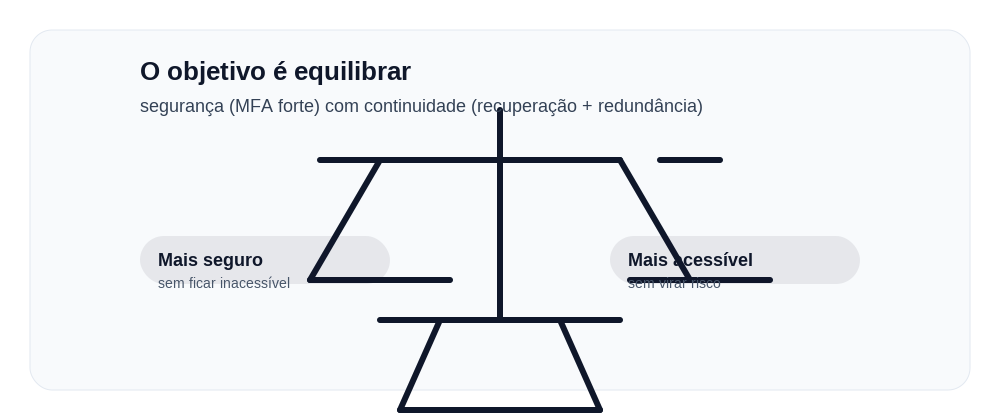
MFA/2FA makes accounts more secure. But when it is set up badly, it can become the biggest bottleneck in the project: nobody can get into the account when it is time to publish, renew a certificate, upload a new version or answer a request from the store.
In this article you will learn a simple model (for non-technical readers) that keeps the account protected and accessible. The idea is to avoid both extremes: "no security" and "secure but inaccessible".
MFA vs 2FA: what is the difference?
- 2FA (two-factor authentication): always two factors (e.g. password + code).
- MFA (multi-factor authentication): two or more factors. In practice, many people use MFA and 2FA as synonyms.
The important point is: turning on MFA/2FA is not enough. You need a recovery plan.
The real problem: "more secure" cannot become "inaccessible"
The most common project lockups happen for simple reasons:
- 2FA is tied to a single phone (belonging to one specific person).
- The recovery email or phone is personal (the employee left, the vendor left, the number changed).
- There are no backup codes, spare key, recovery contacts or "plan B".
- The account has only one owner, and that person is not available when needed.
- Passwords and codes are shared without context, get lost in chat history, or nobody knows who should approve the step.
The result: delays, stress, and the risk of losing the account or the app.
Golden rule: the account belongs to the company. Access is by role (with redundancy)
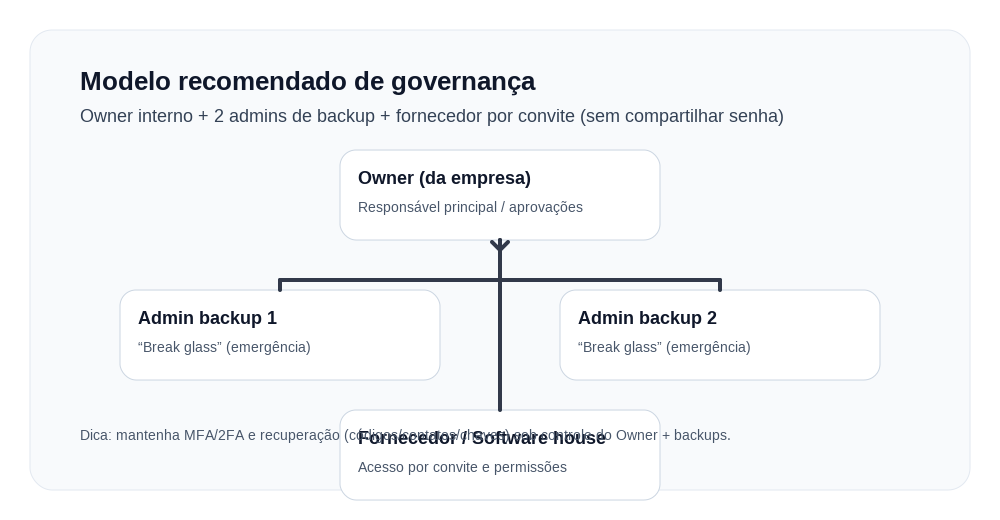
The model that works best for publishing and running apps is:
- 1 primary owner: always someone from the company (e.g. IT, leadership, finance).
- 2 backup administrators ("break glass"): internal people with full access for emergencies.
- Vendor/development firm: access by invitation, with the role it needs (ideally administrator, when the scope includes publishing).
This keeps the project from depending on "a single phone" or "a single email".
Quick checklist (15 to 30 min) to set it up without getting locked out
Use this checklist as the standard for any critical account (Apple, Google, AWS, etc.):
-
Define the owner (from the company)
- Who is the person "accountable" for the account and approvals?
- Ideally: someone who will not leave the project and can be reached in an emergency.
-
Create a simple access policy
- "Nobody shares passwords by message."
- "Access is by invitation and permissions."
- "Everyone with access uses MFA/2FA."
- "When a platform requires a code or approval from the account holder, it happens in real time, for one specific action."
-
Turn on MFA/2FA with at least 2 methods
- Primary method (e.g. authenticator app or security key).
- Contingency method (e.g. backup codes / second device / trusted corporate phone number).
-
Set up recovery (without exposing sensitive data)
- Use a password manager (vault) to store: password, backup codes, spare key (if any) and instructions.
- Restrict vault access to the owner + backups.
- Avoid sending screenshots and codes in chats.
-
Build people redundancy
- Add at least 2 more internal administrators.
- Test: "If the owner is unavailable, can we still get in?"
-
Document it on 1 page (an "Access Runbook")
- Who the owner and backups are.
- Where the vault is.
- Which MFA methods are configured.
- What to do when the person in charge changes.
Which MFA methods should you choose? (and why)
Not every method is the same. Use this practical order:
| Method | When to use | Pros | Cons |
|---|---|---|---|
| Security key (FIDO/U2F) | Critical accounts (publishing, cloud, payments) | Strong against phishing, excellent for a "company account" | Must be bought and stored, needs a process |
| Authenticator app (TOTP) | Default for teams | Good balance of security and convenience | If it lives on only 1 phone, it blocks the project |
| Push notification on a trusted device | Good for Apple/Google ecosystem users | Convenient | Depends on active trusted devices |
| SMS/phone call | Only as a fallback | Easy to start with | Weaker and can fail when traveling or porting numbers |
| Backup / recovery codes | Mandatory as "plan B" | Solves emergencies | If leaked, they become a risk (store in a vault) |
Simple tip: the best MFA is the one you can recover securely.
How to set up recovery without exposing sensitive data
A few good practices that prevent 90% of incidents:
- Never send a password and an MFA code together.
- When the technical team needs a one-time code, agree on the action first and approve it in real time.
- Do not use personal emails as "recovery" for company accounts.
- Centralize everything in a vault (password manager) with access control.
- Store backup codes as secrets (they are the "house key").
- Avoid depending on 1 device: have a redundant second factor (another device, another key, etc.).
If the platform offers a "recovery contact" or a "spare key", treat it as a governance item: only set it up when there is a clear process for storing and rotating it.
When does it make sense to share a 2FA code or OTP?
When publishing an app, there is an important difference between sharing permanent access and approving a one-time step.
The standard is still: the vendor joins by invitation, with a role assigned in the platform's access area (IAM, Users and permissions, or Users and Access). But some platforms require the account holder for actions such as:
- completing company verification;
- accepting an agreement;
- renewing a membership;
- confirming a payment;
- recovering an account;
- enabling a sensitive feature;
- generating or authorizing something the invited role cannot do.
In these cases, the 2FA/OTP code may be needed for the operation. The safe process is:
- Confirm which action will be done and why it requires the account holder.
- Do it on a call, with screen sharing or with someone supervising.
- Use the code only for that attempt.
- Do not record the password and code together in the same channel.
- Review users, permissions and trusted devices afterwards.
What should not happen is leaving passwords, codes, cards, documents and primary access scattered in a chat, with no context and no control.
Changing the person in charge (onboarding/offboarding): a routine that prevents disaster
Whenever someone joins or leaves (employee or vendor), follow this routine:
- Add the new person in charge as an admin.
- Make sure they have set up MFA/2FA and contingency methods.
- Update the "Access Runbook".
- Remove the previous person's access.
- Rotate sensitive credentials when needed (password, backup codes, keys, devices).
This looks like bureaucracy, but it is what keeps the app from "dying" for lack of access.
Practical examples (Apple and Google Play) without overcomplicating
Apple Developer / App Store Connect (overview)
- Apple requires two-factor authentication for accounts and, in publishing environments, it is common for all App Store Connect users to use 2FA.
- Instead of sharing a single login, use the invite team members feature and assign a role (Admin/Developer), keeping the owner within the company.
- If the account is Individual, if access to Certificates, Identifiers & Profiles is missing, or if Apple requires an action from the Account Holder, schedule a one-time approval with the account holder instead of treating it as a developer failure.
The number one precaution here: keep an up-to-date trusted phone number, an active trusted device and more than one internal administrator.
Google Play Console (overview)
- Google strongly recommends turning on 2-Step Verification for all accounts with access to the Play Console.
- In the Play Console, there is a difference between the account owner and administrators. The owner should stay with the company, and the vendor joins as an administrator when it needs to publish and operate.
- Organization verification, payments, production, OTP and account data may require the owner. When that happens, do an assisted, one-time approval.
The number one precaution here: have backup options (codes, a second method) and more than one internal administrator.
A ready-to-copy "mini policy" (for your company)
- The account is a corporate account and belongs to the company.
- The owner is internal and has 2 internal backups.
- Every user with access uses MFA/2FA.
- There is at least 1 contingency method (backup codes / spare key / second factor).
- Passwords and codes are kept in a vault with controlled access.
- 2FA/OTP codes used with a vendor are one-time, agreed in advance and approved in real time.
- Every change of the person in charge requires the checklist and a runbook update.
Need help setting this up without friction?
If your company wants to avoid release blockers, access problems and security risks, X-Apps can help structure the governance of accounts, permissions and the post-launch operating routine (including security, publishing and app maintenance processes).
Look for "DevOps Operation" on the X-Apps website or talk to our team to assess your situation and build an operating plan.